
2.2 KiB
Authentication
Lacpass backend uses Keycloak as its authentication service. An open source access management service. First lets make sure to have the .env configured. The sample environment file can be used and then edited accordingly:
cp .env.sample .env
(More information about Enviroment Variables)
Then, to start keycloak we can run it from the root directory with docker compose as:
docker compose --file=./docker/compose.yaml up auth
When the service starts we can visit http://localhost:8082 and check that is running correctly. The admin user will have
the same credentials specified in the .env file. A default realm lacpass will be created. The openid configuration
should be as follows:
{
  "issuer": "http://localhost:8082/realms/lacpass",
  "authorization_endpoint": "http://localhost:8082/realms/lacpass/protocol/openid-connect/auth",
  "token_endpoint": "http://localhost:8082/realms/lacpass/protocol/openid-connect/token",
  "introspection_endpoint": "http://localhost:8082/realms/lacpass/protocol/openid-connect/token/introspect",
  "userinfo_endpoint": "http://localhost:8082/realms/lacpass/protocol/openid-connect/userinfo",
  "end_session_endpoint": "http://localhost:8082/realms/lacpass/protocol/openid-connect/logout",
  ...
}
To create a test user we can enter our local instance and then in the Manage realms tab,
select lacpass realm.
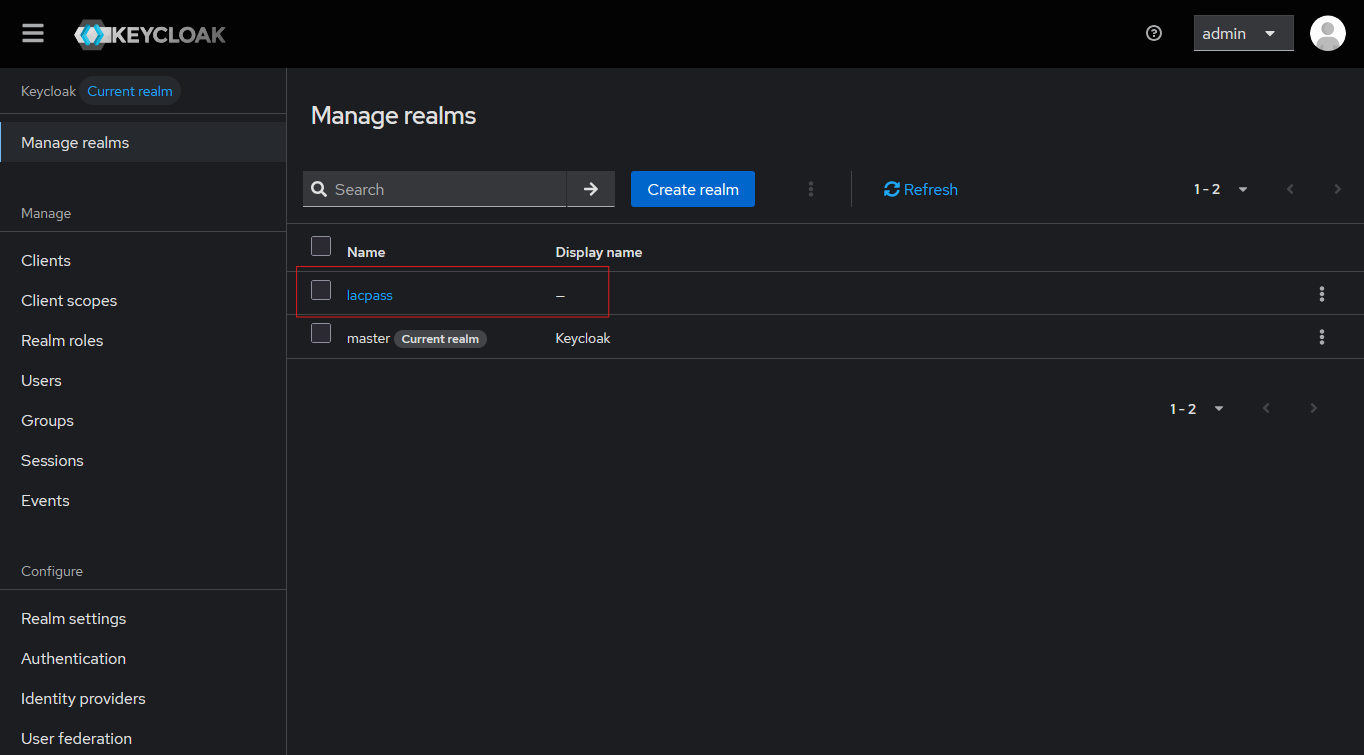
And then go to the Users tab and create a new user:
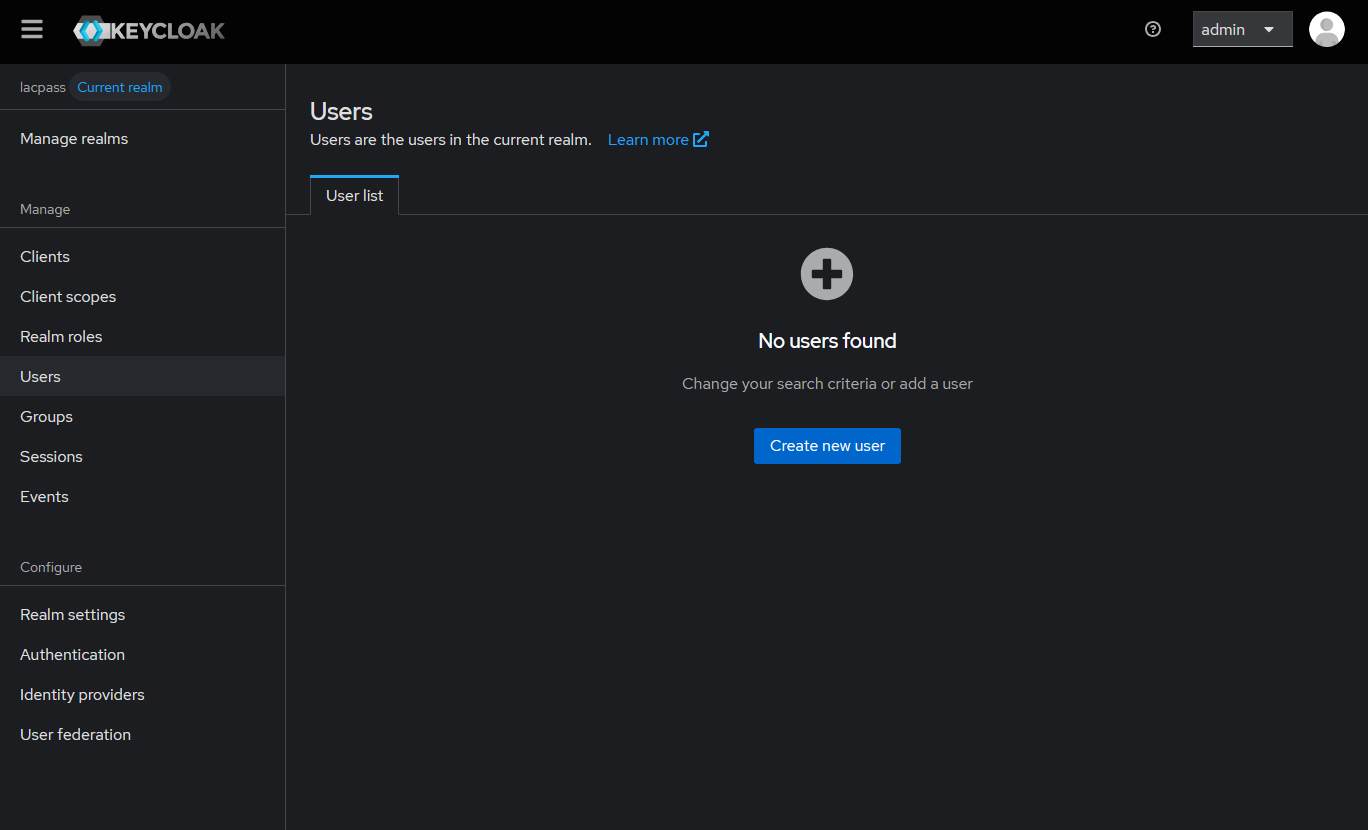
In the compose we have a mail-catcher container running on port 25 that will show you any email sent by keycloak to the users registered. This emails will not be sent out is just for development.
Once the user is created, we can use the helper script to get an access token from Keycloak:
sh scripts/auth.sh
For this to work we need to define both KEYCLOAK_DEFAULT_USER_EMAIL and KEYCLOAK_DEFAULT_USER_PASSWORD in our .env
file.